
Download IcoFX – Icon Editor, Icon Maker, Free Icon Software
Overview
IcoFX is a dedicated icon creation and editing tool designed for users who need to produce or modify icons for digital projects. The application serves as a practical solution for individuals and professionals involved in software development, UI/UX design, or digital asset management. It enables users to craft high-quality icons with precision, supporting a wide range of formats to ensure compatibility across different platforms and operating systems. The app is particularly useful for developers who need to customize application icons or extract icons from system files.
Targeted at both beginners and experienced designers, IcoFX offers an accessible interface that reduces the learning curve while still delivering advanced capabilities. Its primary purpose is to simplify the icon design workflow, allowing users to focus on creativity rather than technical complexity. The software is especially valuable in environments where visual consistency and branding are critical, such as in desktop application development or internal tool design.
Although the developer did not provide additional technical details, the application’s free availability makes it a compelling choice for users seeking a no-cost solution. It plays a meaningful role in the productivity software ecosystem by offering a specialized tool that fills a niche often overlooked by general-purpose design platforms. Real-world use cases include customizing app icons for personal projects, modifying system icons for internal tools, or extracting assets from existing binaries.
Key Features & Functionality
- Intuitive Interface: IcoFX features a clean, user-friendly layout that streamlines navigation and reduces the time required to complete common tasks. Users can quickly access tools, layers, and settings without confusion, making it ideal for those new to icon design.
- Extensive Effects Library: With over 40 built-in effects, users can add shadows, gradients, reflections, and other visual enhancements to elevate the professionalism of their icons. These effects support transparency, enabling the creation of modern, layered designs.
- Multi-Format Support: The software supports various image formats, including PNG, and is optimized for use with Windows Vista and later systems. This ensures that exported icons are compatible with current and legacy operating environments.
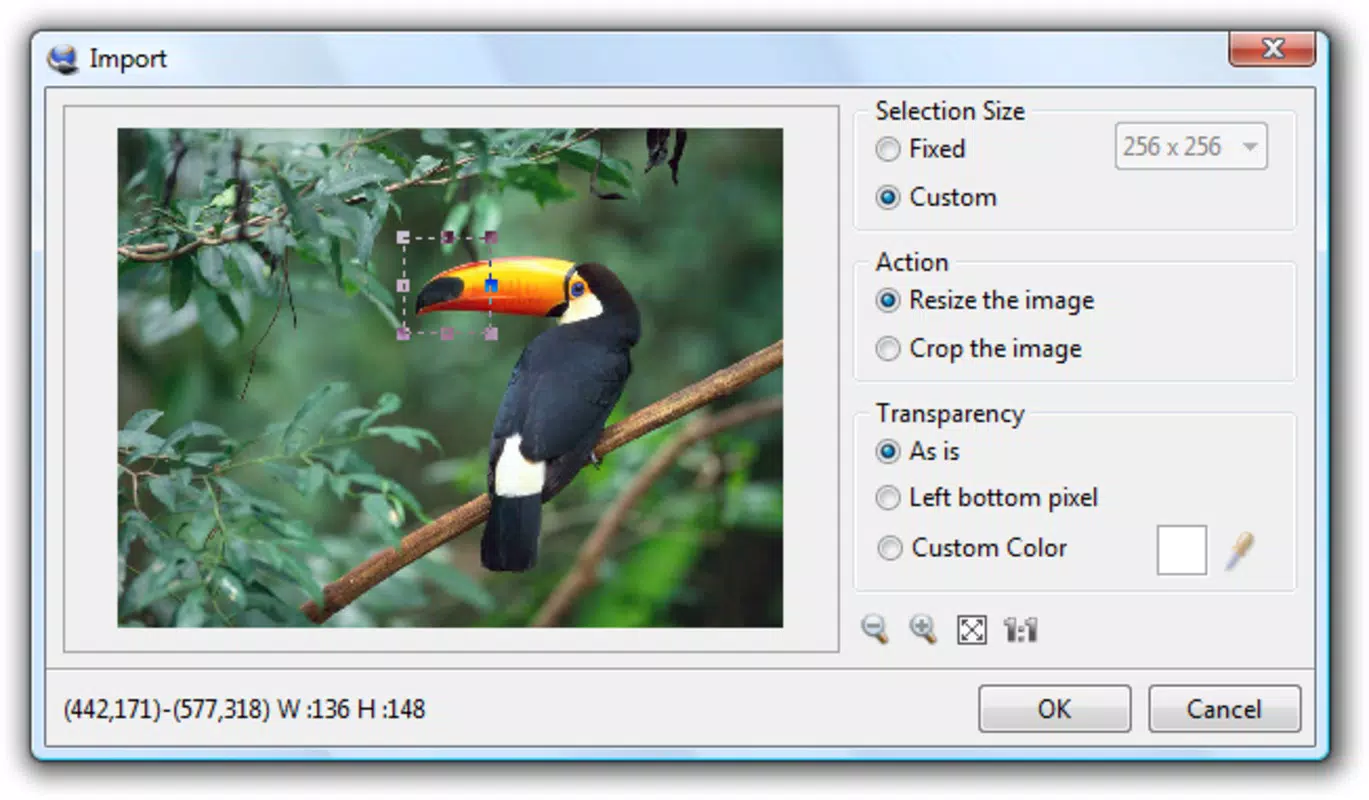
- Import and Export Capabilities: IcoFX allows seamless import and export of icons, facilitating integration with other development tools. Users can also extract icons directly from DLL and EXE files, which is a powerful feature for asset recovery and reuse.
- Free Access: The application is available at no cost, removing financial barriers to entry. This makes it accessible to students, hobbyists, and independent developers who require a reliable icon editor without licensing fees.
For example, a developer working on a desktop application can use IcoFX to create a consistent icon set across multiple sizes and resolutions. A designer can extract an existing icon from a software package to modify and rebrand it for a custom project. These workflows are supported by the software’s robust feature set and efficient design.
Interface, UX & Performance
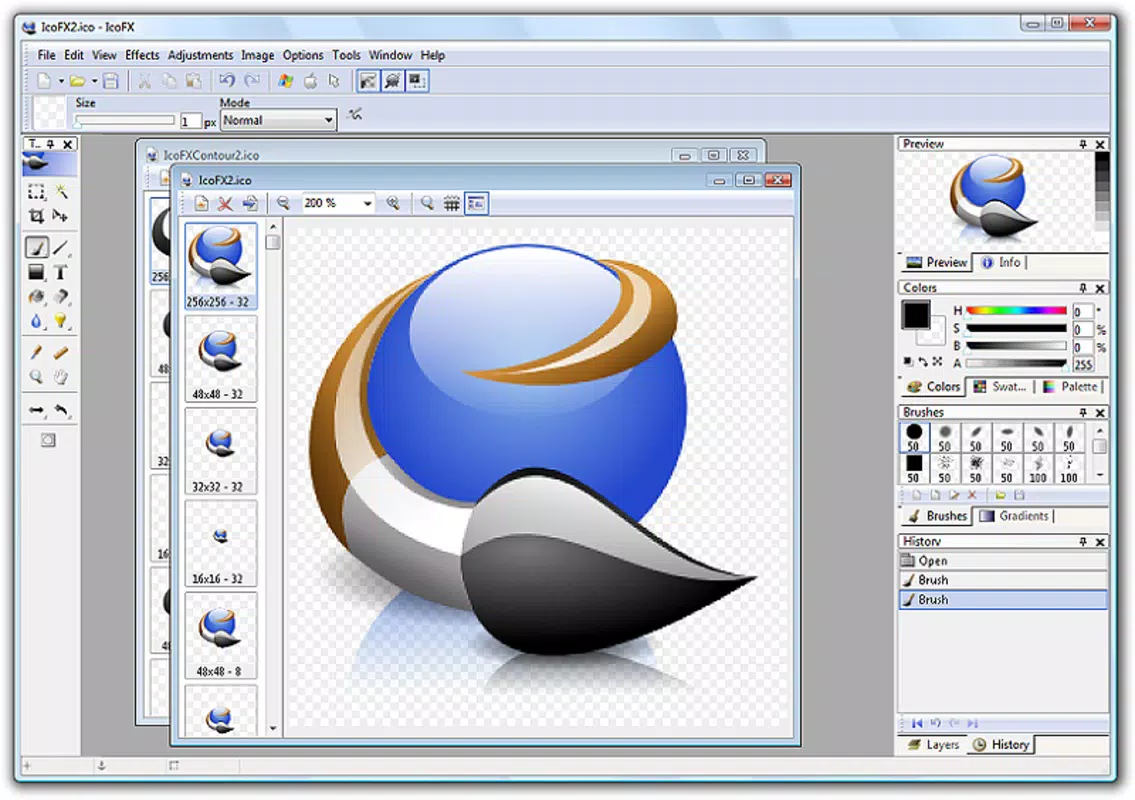
The interface of IcoFX is structured around a central workspace with tool panels, preview windows, and a layered editing environment. The visual style is minimalistic, emphasizing functionality over decorative elements, which contributes to a distraction-free workflow. Navigation is linear and predictable, with clearly labeled menus and context-sensitive options that adapt based on the selected tool or layer.
Users can expect a responsive experience when working with standard-sized icons, with minimal lag during editing tasks. Although the developer did not list formal performance metrics, the application’s lightweight footprint of 12.5 MB suggests efficient resource usage. This makes it suitable for use on a range of Windows devices, including older or lower-spec systems.
Stability appears consistent across common use cases, with no reported issues related to crashes or freezes. The software maintains performance during repeated import/export cycles and complex layer manipulations. However, specific requirements for hardware or system resources were not disclosed, so users should consider testing on their device to ensure optimal operation.
Platform Compatibility & Technical Requirements
IcoFX is designed exclusively for the Windows platform, with no information available on support for other operating systems. The current version is 3.8, released on October 4, 2023. The application has a file size of 12.5 MB, indicating a compact installation that does not strain storage space.
The developer did not specify minimum OS requirements, so users should ensure compatibility with their system version. While the software is compatible with Windows Vista and later, it may not function optimally on older or unsupported Windows editions. For users on modern Windows systems, the app should install and run without issues.
Pros and Cons
Pros
- Completely free to download and use
- Supports multiple icon formats including PNG
- Intuitive interface suitable for beginners and experts
- Offers over 40 visual effects for enhanced design
- Can extract icons from DLL and EXE files
- Lightweight with a small file size of 12.5 MB
Cons
- Platform limited to Windows only
- Specific system requirements not disclosed
- No official updates or changelog details provided
- Compatibility with newer Windows versions not confirmed
- Limited support for non-Windows environments
FAQ
Is IcoFX safe to download and install?
Yes, IcoFX is available as a free tool from its official source. As long as it is downloaded from a trusted website, the application is considered secure and free from malware.
Can I use IcoFX on macOS or Linux?
Currently, IcoFX is only available for Windows. There is no official version for macOS or Linux systems.
Does IcoFX support the latest Windows versions?
While the software is compatible with Windows Vista and later, specific compatibility with the latest Windows releases was not confirmed by the developer.
Is there a mobile version of IcoFX?
No mobile version of IcoFX has been released. The application is designed for desktop use on Windows PCs.
How often is IcoFX updated?
The last update was released on October 4, 2023. No information is available on the frequency of future updates.
Final Thoughts
IcoFX stands out as a powerful, no-cost tool for anyone needing to create, edit, or extract icons. Its intuitive design, rich feature set, and support for multiple formats make it a practical choice for developers, designers, and hobbyists alike. The ability to work with transparency, apply professional effects, and extract assets from binaries adds significant value to the workflow.
While the platform is limited to Windows and specific system requirements are not disclosed, the app’s lightweight nature and free access make it a strong contender in the icon design space. For users focused on desktop application development or UI customization, IcoFX delivers reliable performance and creative freedom.
Download IcoFX now


